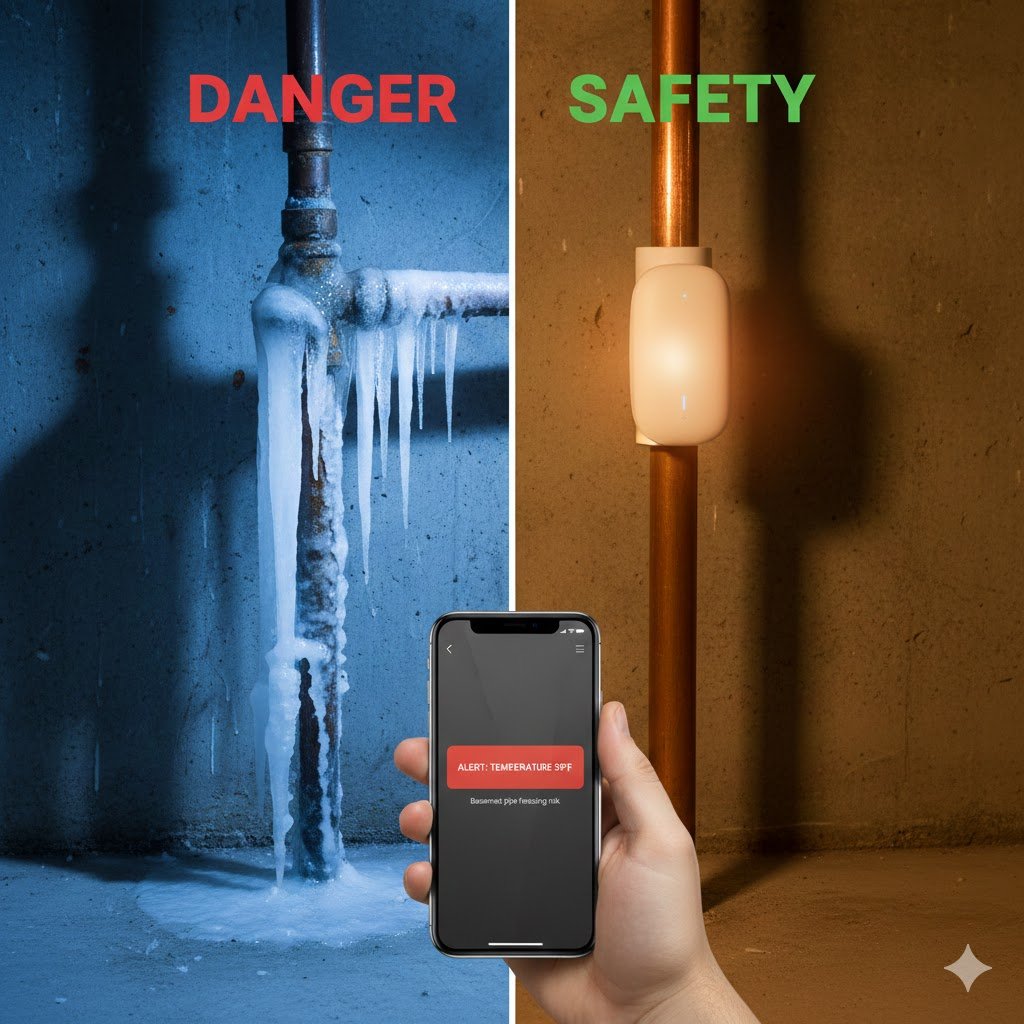
Do you know how to prevent frozen pipes before disaster strikes? It is 2:00 AM. A blizzard is raging outside, and the temperature has dropped to -10°F (-23°C). You are warm in bed, but down in your crawlspace or uninsulated attic, a copper water pipe is slowly freezing.
Water expands when it freezes. Copper doesn’t.
By the time you wake up and realize you have no water pressure, it’s often too late. The pipe bursts, and once the ice thaws, you are looking at thousands of gallons of water flooding your home. The average insurance claim for water damage is over $10,000.
As a network engineer, I don’t rely on “hope” to keep my infrastructure running. I rely on monitoring.
You can apply the same logic to your home. You don’t need expensive plumbing overhauls. You just need a $20 sensor and the right wireless protocol.
Transparency Note: This article contains affiliate links. As an Amazon Associate, I earn from qualifying purchases at no extra cost to you. This helps support the blog.
The Problem: Why Wi-Fi Sensors Fail
You might be thinking: “I’ll just buy a cheap Wi-Fi temperature sensor.”
That might work for your living room, but pipes usually freeze in the “dead zones” of your house:
- Deep basements.
- Crawlspaces behind concrete walls.
- Attics full of insulation.
- Inside utility cabinets.
Wi-Fi signals (2.4GHz and 5GHz) struggle to penetrate thick concrete and metal. If your sensor disconnects during a storm, it can’t warn you. Worse, Wi-Fi sensors drain batteries quickly, meaning they might be dead just when you need them most.
The Solution: LoRa (The Long Range Protocol)
For critical monitoring, I skip Wi-Fi and use LoRa (Long Range).
LoRa uses a lower frequency (around 900MHz) that can punch through concrete walls, metal fridges, and even travel up to a quarter-mile away. It sips power so slowly that batteries can last for 2+ years.
This is the technology we use in industrial IoT, and thanks to brands like YoLink, it is now affordable for residential use.
The Hardware: What to Buy
Here is the tiered protection strategy I recommend to secure your home against winter disasters.
1. The Engineer’s Choice: YoLink Smart Home Starter Kit
This is the gold standard for reliability. The kit comes with a central “Hub” (which connects to your router) and sensors that communicate via LoRa.
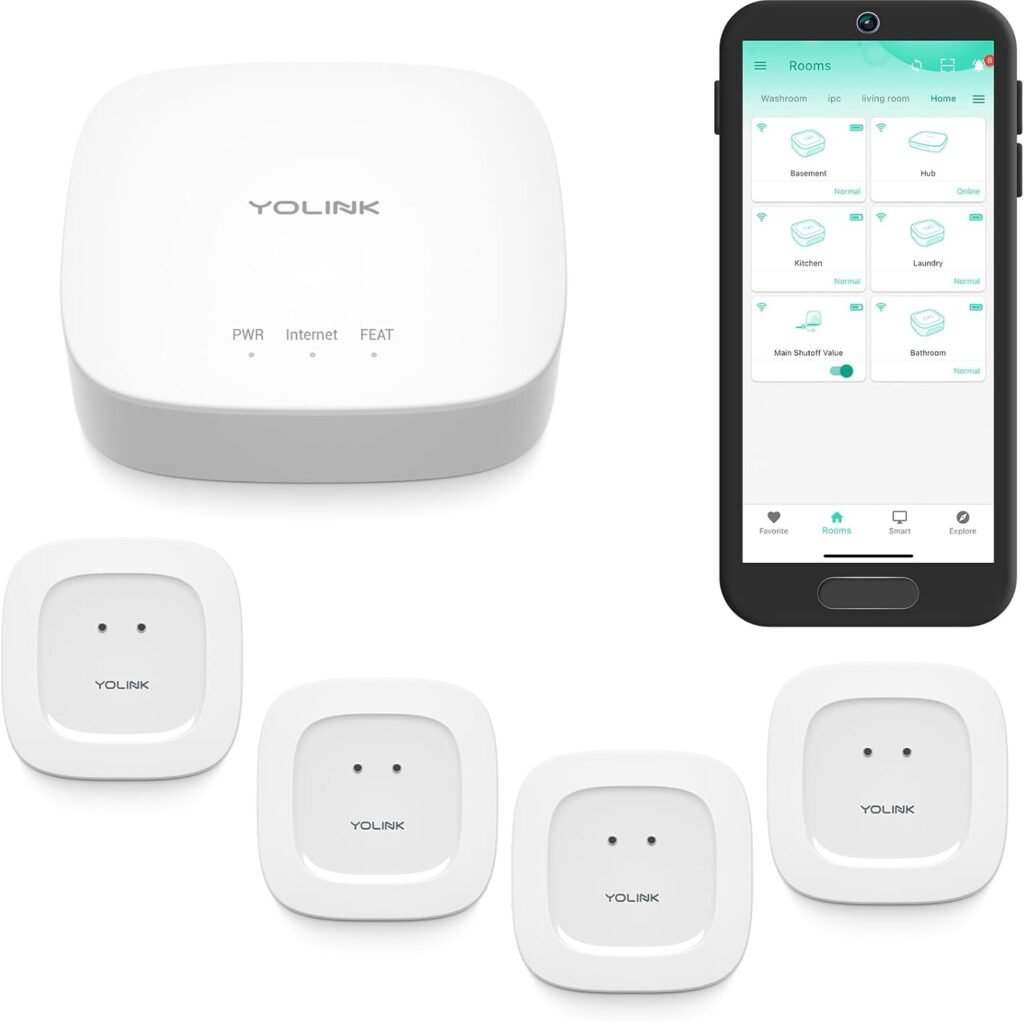
- Range: Up to 1/4 mile open air. It will work in your basement.
- Battery Life: 2+ years.
- Expandability: You can add leak sensors, door sensors, and even a siren.
- Why I love it: Even if your Wi-Fi is flaky, the Hub manages the connection reliably.
2. The Budget Option: Govee Wi-Fi Thermo-Hygrometer
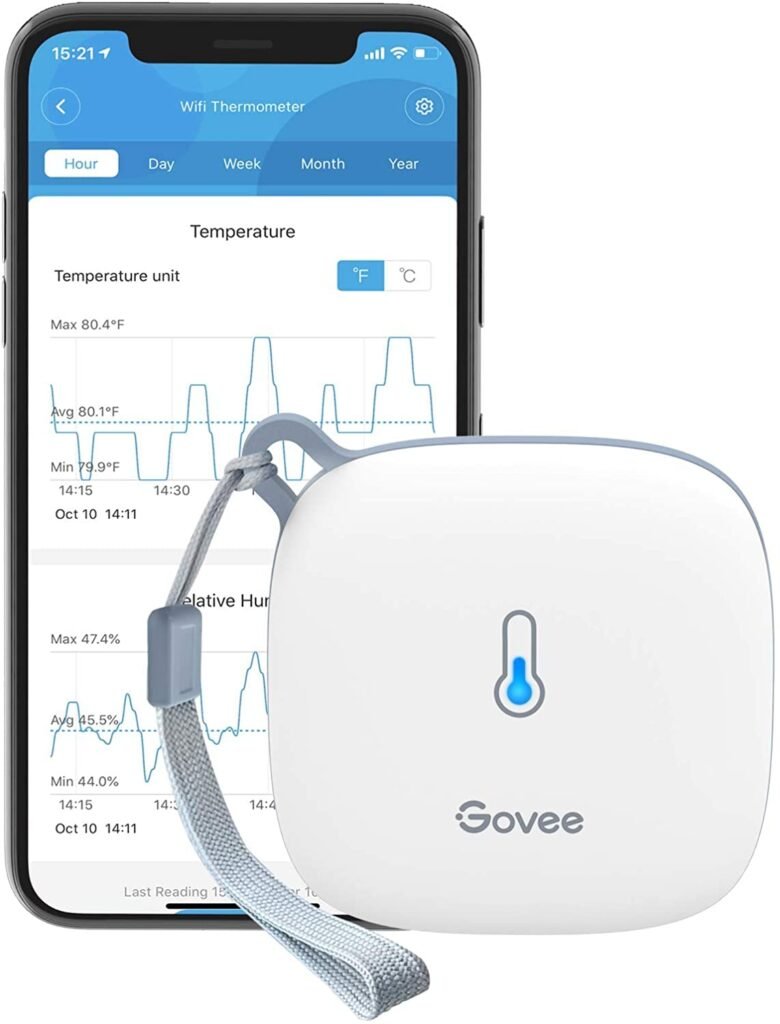
If you live in a smaller apartment or your pipes are near your Wi-Fi router, Govee is a fantastic standalone option.
Cons: Relies on Wi-Fi battery drain is higher; signal might struggle in deep basements.
Pros: No hub required. Great app with historical graphs. Very cheap.
3. The “Nuclear” Option: Moen Flo Smart Water Monitor
If you want total peace of mind and have the budget, this is the ultimate safeguard. It is a smart valve installed on your main water line.
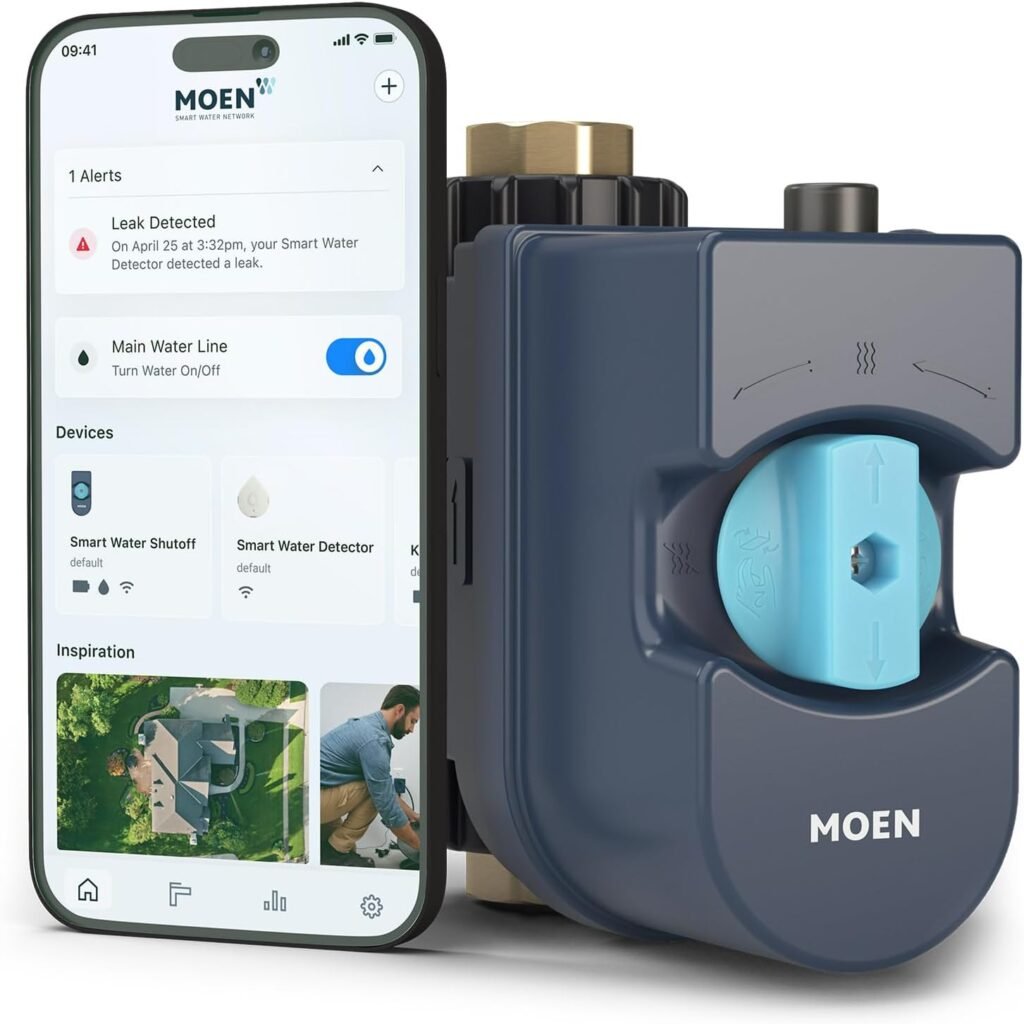
- What it does: It monitors pressure, temperature, and flow. If it detects a micro-leak or the temperature drops to freezing levels, it automatically shuts off the water to the whole house.
- Verdict: Expensive, but cheaper than a flooded basement.
Engineer’s Corner: How Does Moen Flo Actually Work? (Click to Expand)
You might be wondering: “How can one device in my basement know that a toilet is leaking on the second floor?” It uses a combination of Physics and AI. Here is the breakdown:
1. The “MicroLeak” Pressure Test (The Night Watch)
This is the feature that justifies the price tag. Every night (usually around 2:00 AM), the Moen Flo automatically shuts its own valve for a few minutes to seal your home’s plumbing system.
- The Science: Once sealed, it monitors the water pressure inside your pipes. If the system is truly airtight, the pressure remains constant.
- The Detection: If the pressure drops—even slightly—it means water is escaping somewhere. It is precise enough to detect a leak as small as one drop per minute.
2. “FloSense” AI (The Pattern Matcher)
During the day, the device constantly measures water flow, temperature, and pressure. It doesn’t just see “water moving”; it recognizes patterns.
- Machine Learning: Over the first few weeks, it learns your home’s “hydraulic fingerprint.” It knows that a toilet flush is a short, sharp burst of water, while a shower is a steady, moderate flow for 15 minutes.
- The Anomaly: If it sees water running for 20 minutes at a flow rate that doesn’t match a shower or a washing machine (like a burst pipe), it flags it as an anomaly and shuts off the water to prevent a flood.
Critical Engineering Dependency: The Power Outage
Here is the catch: If the power goes out during the blizzard (which is common), your internet goes down. If your internet is down, the sensor cannot email you an alert.
You must have a backup plan.
- Backup Your Router: Ensure your Modem, Router, and YoLink Hub are plugged into a Mini UPS Battery Backup. This keeps your “Alert System” online even if the lights go out.
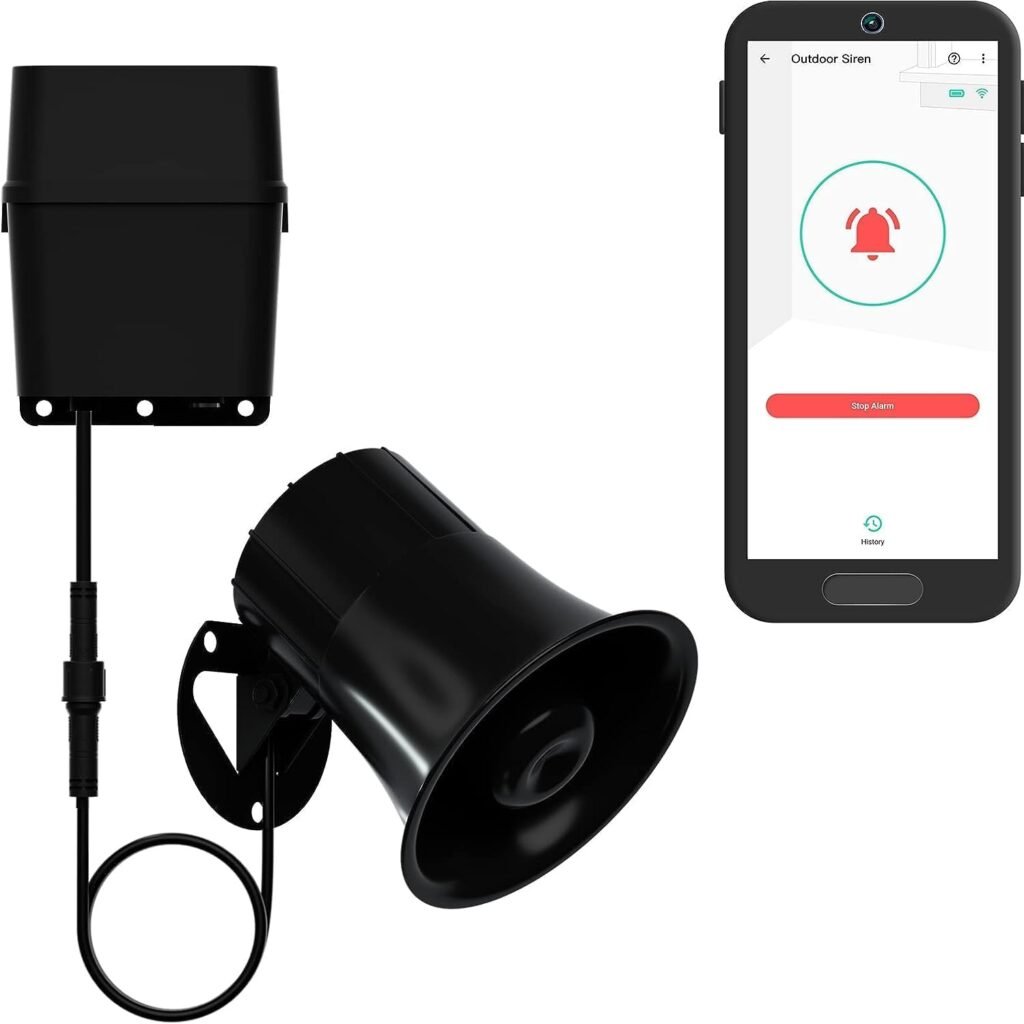
2. Local Alerts: YoLink allows you to pair a Siren Alarm directly to the sensor. Even if the internet is dead, if the pipe freezes, the siren will scream, waking you up so you can take action.
Where to Place Sensors (Strategic Deployment)
Don’t just throw them anywhere. Think like a plumber.
- The North Wall: Place a sensor on the floor or inside a cabinet on the North-facing wall of your house. This is usually the coldest point.
- The “Main” Entry: Put one near where the main water line enters your foundation.
- Garage & Laundry: If you have pipes running through an unheated garage, this is a critical failure point.
The “40 Degree Rule”
A common mistake is setting the alert to 32°F (0°C). This is wrong. If the air is 32°F, the pipe inside the wall might already be colder due to drafts.
Set your critical alert to 40°F (4°C). This gives you a “buffer zone.” When your phone buzzes at 40°F, you still have time to:
- Open the cabinet doors to let warm air in.
- Turn on a faucet to a slow drip (moving water is harder to freeze).
- Place a space heater in the area.
Conclusion
A $20 sensor is the cheapest insurance policy you will ever buy. It doesn’t matter how smart your TV or lights are; if your house floods, none of that matters.
Build a resilient home. Start with the pipes.
Is your network ready for smart sensors? Check my guide on Mesh Wi-Fi vs Extenders.
Don’t let the blizzard kill your Wi-Fi: Read how to keep your internet running during a blackout in my Router UPS Guide.